“With multiple musicians in the house, we particularly appreciated the great sound system.”
Jarad Baker – Airbnb Guest
SAMSUNG TV REMOTE
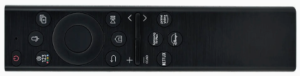
1. Turn on the Samsung TV using the Samsung remote and the surround sound will switch on automatically. You can control the volume with the TV remote.
2. To listen to music, you can use the Samsung TV to play music via Bluetooth or mirror your smartphone screen, or use Youtube or Spotify on the TV.
FREE TO AIR – 7, NINE, TEN, SBS, ABC and national regional TV stations
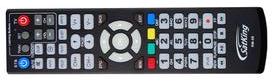
1. Switch on the Satking Decoder wth the Satking remote by press the STB blue button – EPG button to view the TV guide.
2. Samsung TV APPs, look for the Free2Air app.
(NOTE: Poor weather including overcast days can impact the satellite signal. In this case, best to use the Shield Media Player.)
POOL ROOM TV (Free to Air only)
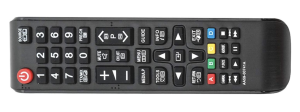
Connected to the Satking in the lounge room, therefore channels can only be changed in the lounge room using the Satking remote.
1. Switch on TV with smaller Samsung remote: ‘Source Button’ = HDMI1.
2. Switch on Satking with Satking remote by pressing the blue STB button. (In the main room)
STEREO IN COTTAGE
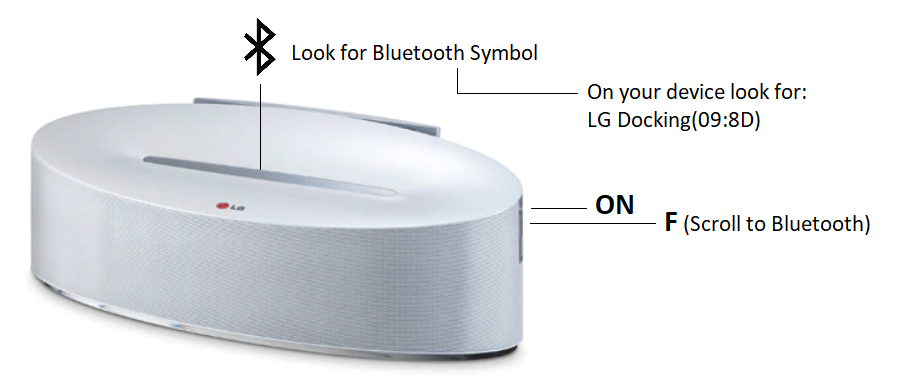
The best way to connect to the LG stereo in the cottage is using Bluetooth on your phone.
1. Switch on and control volume on the right side of the LG System.
2. Use ‘F’ button is to change the ‘Function’ to make sure it’s on Bluetooth.
3. Look for the faint yellow Bluetooth symbol in the top silver strip to know its on Bluetooth.
4. Search for the ‘LG Docking(09:8D)’ on your Bluetooth device i.e. IPhone
(Please do not unplug any TV or stereo cables, everything you need has already been setup, you can always Chromecast to the ‘Shield’ media player.)